claude codecoworkai toolsgamified learning

I Turned Claude Code Into a Game and Finally Learned It in a Weekend我把 Claude Code 變成一款遊戲,一個週末就學會了Claude Codeをゲームに変えたら、週末で使いこなせるようになった話

I Turned Claude Code Into a Game and Finally Learned It in a Weekend
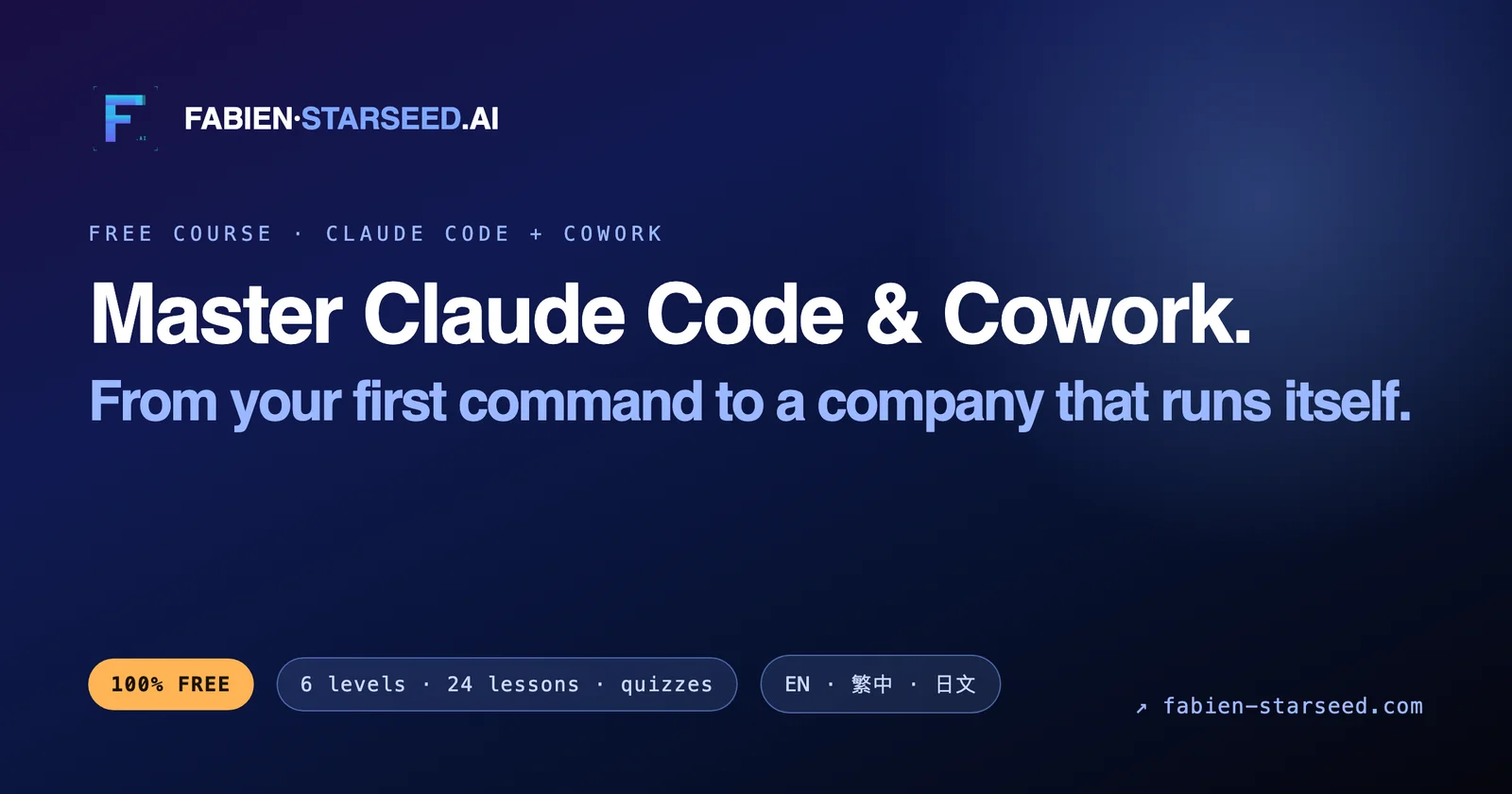
Quick answer: The fastest way to learn Claude Code and Cowork is a gamified, hands-on course that turns each feature into a level you clear by building real work, not watching demos. FABIEN·STARSEED.AI's free course uses this format, and most learners get productive in a weekend instead of a month.

I Turned Claude Code Into a Game and Finally Learned It in a Weekend

Most people install Claude Code, run three commands, hit one confusing error, and never open it again. I did exactly that twice. What broke the loop was treating it like a game: every feature became a level I had to clear by building something real, and I couldn't move on until it worked.

That reframe is the whole point of the free gamified course I built at FABIEN·STARSEED.AI. Not another 40-minute video you half-watch. A structured climb where you learn Claude Code and Cowork by doing, one small win at a time.

Here's why that format works, and how to run it yourself even if you never touch my course.

Why do most people fail to learn Claude Code?

Most people fail because they try to learn Claude Code by watching instead of building, so nothing sticks and the first real error ends the session. The tool is powerful, but power without a task is just anxiety.

Three things kill early momentum:

  • No real project. You open Claude Code with nothing to build, so every feature feels abstract.
  • Tutorial hell. You watch someone else's demo, feel like you learned something, then freeze when your own codebase doesn't match.
  • All at once. You try to absorb agents, MCP, subagents, and slash commands in one sitting. Your brain files it under "too much" and deletes it.

Gamification fixes all three by forcing one task, one feature, one clear win at a time.
What does a gamified Claude Code course actually look like?

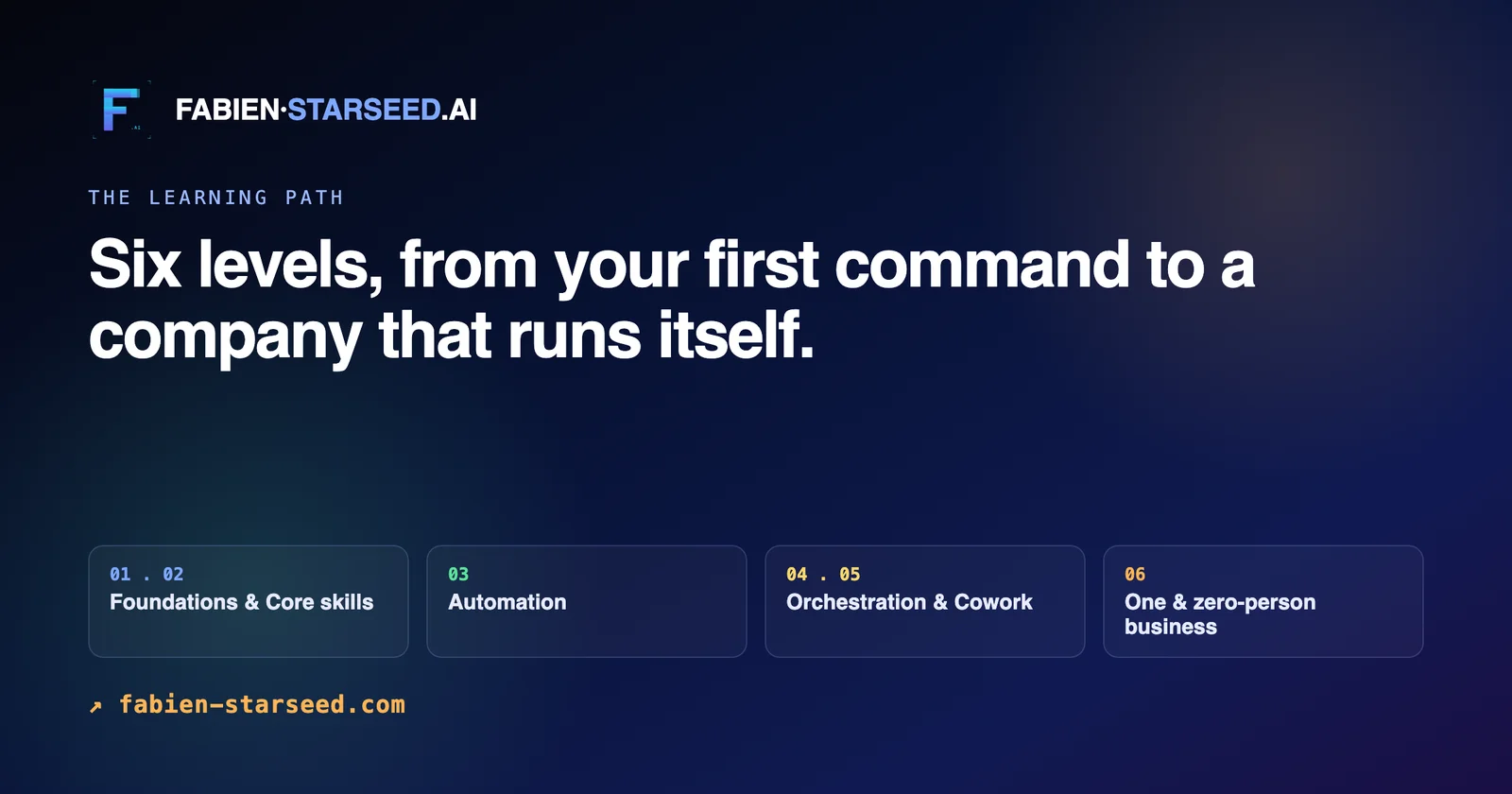
A gamified course turns each Claude Code and Cowork feature into a level with a concrete objective, a real deliverable, and a pass condition you can't fake. You don't advance because you watched. You advance because it ran.

The structure I use has five layers, each one unlocked by the last:

LevelYou learnYou clear it by
1The basics: chat, files, first editMaking Claude change one real file and running it
2Cowork for tasks and documentsHanding off a full task and getting a client-ready output
3Slash commands and skillsBuilding one custom command you actually reuse
4Subagents and parallel workSplitting a job across agents and merging the result
5Automation and memoryWiring a scheduled task that runs without you

Each level is small on purpose. A win you can feel in ten minutes beats a lecture you forget in an hour.

How do Claude Code and Cowork actually differ?

Claude Code is the terminal-native agent that reads, writes, and runs your codebase directly. Cowork is the workspace for tasks and files where you hand off a job and get back a finished deliverable. You use Code to build and automate, Cowork to delegate and produce.

The mistake beginners make is picking one and ignoring the other. In practice they feed each other:

  • Use Cowork when the output is a document, a plan, a report, or a task with files attached.
  • Use Claude Code when the output is code, a script, an automation, or a change to a live project.
  • Use both when you plan in Cowork, then build in Code from that plan.

Once you feel the handoff between them, your speed jumps. That's usually the level where people stop being tourists and start shipping.

What can you build once it clicks?

Once Claude Code and Cowork click, you stop asking "what can this do" and start asking "what do I want done." That shift is the entire return on learning it.

Real things I now run without thinking about them:

  • A daily brief that pulls my active projects and open loops into one file every morning.
  • Scheduled jobs that commit generated snapshots to a repo, scoped and clean, no manual step.
  • Custom slash commands for the tasks I repeat, so a five-step process becomes one word.
  • Subagents that research and draft in parallel while I keep the final synthesis.

None of that came from a video. It came from clearing levels until the tool stopped feeling foreign.

How long does it take to get productive?

Most people get genuinely productive with Claude Code and Cowork in a weekend of focused, hands-on practice, not the month it takes by drifting through tutorials. The gate isn't intelligence. It's whether you build while you learn.

The rule I'd give anyone starting:

  1. Pick one real task you already need done.
  2. Do only the level in front of you, ignore the rest.
  3. Don't advance until it actually ran.
  4. Repeat until the tool disappears and only the work remains.

That's the game. Clear the levels, and Claude Code stops being software you're learning and becomes the way you work.

The course is free. You can start it, or you can build your own version from the five levels above. Either way, the winning move is the same: stop watching, start clearing.

快速解答: 學會 Claude Code 和 Cowork 最快的方法,是一套遊戲化、動手實作的課程,把每個功能都變成一個關卡,靠打造真正的成果來過關,而不是看示範影片。FABIEN·STARSEED.AI 的免費課程就是用這種形式設計的,大多數學員一個週末就能上手,而不用花上一個月。

我把 Claude Code 變成一款遊戲,一個週末就學會了

大多數人安裝 Claude Code 後,跑了三個指令,遇到一個看不懂的錯誤,然後就再也沒打開過它。我自己就這樣重複了兩次。真正打破這個循環的方法,是把它當成一款遊戲看待:每個功能都變成一個我必須靠打造真實成果來過關的關卡,而且在成功之前絕不往下走。

這個重新框架的思路,正是我在 FABIEN·STARSEED.AI 打造的免費遊戲化課程的核心。不是另一支你看到一半就分心的 40 分鐘影片,而是一段結構化的攀升過程,讓你透過實作,一次拿下一個小勝利,學會 Claude Code 和 Cowork。

以下是這種形式為什麼有效,以及就算你完全不碰我的課程,也能自己套用的方法。

為什麼大多數人學不會 Claude Code?

大多數人學不會 Claude Code,是因為他們用「看」而不是「做」的方式來學,結果什麼都沒記住,第一個真正的錯誤一出現,這段學習就結束了。這個工具很強大,但沒有任務支撐的力量,只會變成焦慮。

有三件事會扼殺初期的學習動力:

  • 沒有真實專案。 你打開 Claude Code 卻沒有任何要做的東西,於是每個功能都顯得很抽象。
  • 教學地獄。 你看別人示範,感覺自己好像學到了什麼,但一換成自己的程式碼庫就整個卡住。
  • 一次塞太多。 你想在一次坐下就吸收 agents、MCP、subagents 和斜線指令。你的大腦會把這些歸類為「太多了」然後直接刪除。

遊戲化的做法,是強迫你一次只處理一個任務、一個功能、一個清楚的勝利,藉此同時解決這三個問題。

一套遊戲化的 Claude Code 課程實際上長什麼樣子?

遊戲化課程會把 Claude Code 和 Cowork 的每個功能,變成一個有明確目標、真實成果,以及無法蒙混過關的通關條件的關卡。你不是因為看完了就晉級,而是因為它真的跑起來了才晉級。

我使用的架構有五層,每一層都靠上一層解鎖:

關卡你會學到過關方式
1基礎:聊天、檔案、第一次編輯讓 Claude 修改一個真實檔案並成功執行
2用 Cowork 處理任務與文件交接一個完整任務,拿到可直接交付客戶的成果
3斜線指令與技能(skills)打造一個自己真的會重複使用的自訂指令
4Subagents 與平行作業把一項工作拆給多個 agent 分頭處理,再整合結果
5自動化與記憶設定一個不用你動手就會自動執行的排程任務

每個關卡都刻意設計得很小。一個十分鐘內就能感受到的勝利,勝過一小時後就忘光的講課。

Claude Code 和 Cowork 到底有什麼不同?

Claude Code 是原生於終端機的 agent,能直接讀取、寫入並執行你的程式碼庫。Cowork 則是處理任務與文件的工作空間,你在這裡交辦一項工作,然後拿回一個完成的成果。你用 Code 來打造與自動化,用 Cowork 來委派與產出。

初學者常犯的錯誤,是只選一邊、完全忽略另一邊。實際上這兩者是互相餵養的:

  • 當產出是文件、計畫、報告,或是附帶檔案的任務時,用 Cowork。
  • 當產出是程式碼、腳本、自動化流程,或是對一個上線中專案的修改時,用 Claude Code。
  • 當你先在 Cowork 規劃,再依那份規劃在 Code 中打造時,兩者並用。

一旦你感受到兩者之間的交接方式,你的速度會明顯躍升。通常就是在這個階段,人們不再只是「觀光客」,而是真正開始交付成果。

學會之後,你能打造出什麼?

一旦 Claude Code 和 Cowork 真正「通了」,你就不再問「這個能做什麼」,而是開始問「我想要完成什麼」。這個轉變,才是學會它真正的價值所在。

以下是我現在已經不用多想、日常在跑的東西:

  • 一份每天早上自動彙整我目前所有專案與待辦事項的每日簡報。
  • 排程任務會把產生的快照乾淨、範圍明確地自動提交到儲存庫,完全不需要手動操作。
  • 針對我常重複的任務打造自訂斜線指令,讓一個五步驟的流程變成一個詞。
  • Subagents 能同時進行研究與草擬,而我專注在最後的整合。

這些沒有一項是看影片學來的。全都是靠一關一關過,直到這個工具不再讓人覺得陌生。

需要多久才能真正上手?

大多數人只要花一個週末專注動手練習,就能真正在 Claude Code 和 Cowork 上變得有生產力,而不是像漫無目的看教學那樣拖上一個月。關鍵不在於聰不聰明,而在於你是不是邊學邊做。

給任何剛開始的人的原則是:

  1. 挑一項你本來就需要完成的真實任務。
  2. 只做眼前這一關,其他的先不管。
  3. 沒有真的跑起來之前,不要往下一關走。
  4. 重複這個過程,直到這個工具徹底「消失」,只剩下你完成的工作。

這就是整套遊戲。把關卡一一破解,Claude Code 就不再是你正在學習的軟體,而會變成你工作的方式。

這套課程是免費的。你可以直接開始上,或是照上面這五個關卡自己打造一套版本。不管哪種方式,致勝的關鍵都一樣:別再只是看,開始動手破關。

要点: Claude CodeとCoworkを最速で習得する方法は、デモを眺めるのではなく、各機能を実際の作業を組み立てることでクリアする「レベル」に変えた、ゲーム化されたハンズオン講座だ。FABIEN·STARSEED.AIの無料講座はこの形式を採用しており、多くの受講者は1か月ではなく週末で実践できるようになる。

Claude Codeをゲームに変えたら、週末で使いこなせるようになった話

ほとんどの人はClaude Codeをインストールし、3つほどコマンドを打ち、よくわからないエラーに1つぶつかって、二度と開かなくなる。私自身、まさにそれを2回やった。このループを断ち切ったのは、Claude Codeをゲームとして扱うことだった。各機能を「実際に何かを作ることでクリアしなければならないレベル」に変え、うまく動くまで次に進めないようにしたのだ。

この発想の転換こそ、私がFABIEN·STARSEED.AIで作った無料のゲーム化講座の核心だ。ただの40分動画を半分だけ見て終わる講座ではない。実際に手を動かしながらClaude CodeとCoworkを学び、小さな勝利を一つずつ積み重ねていく構成された登り坂だ。

この形式がなぜうまくいくのか、そして私の講座を使わなくても自分で同じことをどう実践できるかを説明する。

なぜほとんどの人はClaude Codeの習得に失敗するのか?

ほとんどの人が失敗するのは、Claude Codeを「作りながら」ではなく「眺めながら」学ぼうとするからだ。だから何も身につかず、最初の本物のエラーでセッションが終わってしまう。このツールは強力だが、課題のない強力さはただの不安でしかない。

序盤の勢いを削ぐ要因は3つある。

  • 実プロジェクトがない。 作るものが何もない状態でClaude Codeを開くので、すべての機能が抽象的に感じられる。
  • チュートリアル地獄。 他人のデモを見て「学んだ気」になるが、自分のコードベースがデモ通りにならないと固まってしまう。
  • 一度に全部。 エージェント、MCP、サブエージェント、スラッシュコマンドを一度に吸収しようとする。脳は「多すぎる」と判断し、削除してしまう。

ゲーム化はこの3つすべてを、「一度に1つのタスク、1つの機能、1つの明確な勝利」に絞ることで解決する。

ゲーム化されたClaude Code講座とは実際どんなものか?

ゲーム化された講座は、Claude CodeとCoworkの各機能を、具体的な目標・実際の成果物・誤魔化しのきかない合格条件を備えた「レベル」に変える。見たから進めるのではない。動いたから進めるのだ。

私が使っている構成は5層あり、それぞれ前のレベルをクリアすると解放される。

レベル学ぶことクリア条件
1基本操作:チャット、ファイル、最初の編集Claudeに実際のファイルを1つ変更させ、実行する
2タスクとドキュメントのためのCoworkタスクを丸ごと引き渡し、クライアントに出せる成果物を受け取る
3スラッシュコマンドとスキル実際に再利用するカスタムコマンドを1つ作る
4サブエージェントと並列作業作業をエージェントに分割し、結果をマージする
5自動化とメモリ自分がいなくても動くスケジュールタスクを組む

各レベルは意図的に小さく設計されている。1時間で忘れる講義より、10分で実感できる勝利の方が価値がある。

Claude CodeとCoworkは実際どう違うのか?

Claude Codeはターミナル上でコードベースを直接読み書き・実行するネイティブエージェントだ。Coworkはタスクとファイルのためのワークスペースで、仕事を引き渡すと完成した成果物が返ってくる。構築や自動化にはCodeを、委任や成果物の生成にはCoworkを使う。

初心者がやりがちな失敗は、どちらか一方だけを選び、もう一方を無視することだ。実際にはこの2つは互いを補い合う。

  • 出力がドキュメント、計画、レポート、あるいはファイル添付付きのタスクならCoworkを使う。
  • 出力がコード、スクリプト、自動化、あるいは稼働中プロジェクトへの変更ならClaude Codeを使う。
  • 両方を使うのは、Coworkで計画を立て、その計画をもとにCodeで構築するときだ。

この2つの間の受け渡しを一度体感すると、スピードが跳ね上がる。たいていはこのレベルで、人は「見物人」をやめて「実際に成果物を出す側」になる。

腑に落ちたあと、何が作れるようになるのか?

Claude CodeとCoworkが腑に落ちると、「これで何ができるか」ではなく「何をやらせたいか」を考えるようになる。この転換こそが、これを学ぶことの本当のリターンだ。

今、私が意識せずに動かしている実例をいくつか挙げる。

  • 進行中のプロジェクトと未解決の課題を毎朝1つのファイルにまとめる日次ブリーフィング。
  • 生成されたスナップショットをリポジトリにコミットするスケジュールジョブ。範囲を絞ってクリーンに、手作業は一切なし。
  • よく繰り返すタスク用のカスタムスラッシュコマンド。5ステップの工程が一語で済むようになる。
  • 最終的な統合は自分が担いながら、リサーチとドラフト作成を並行して行うサブエージェント。

これらはどれも動画から得たものではない。ツールが「よそよそしいもの」でなくなるまでレベルをクリアし続けた結果だ。

実際に使いこなせるようになるまでどれくらいかかるのか?

ほとんどの人は、チュートリアルを漫然と眺めて1か月かけるのではなく、集中したハンズオン練習の週末1回でClaude CodeとCoworkを実際に使いこなせるようになる。カギは知能ではない。学びながら作っているかどうかだ。

これから始める人に伝えたいルールはこうだ。

  1. 自分が実際に必要としている実プロジェクトを1つ選ぶ。
  2. 目の前のレベルだけをやり、それ以外は無視する。
  3. 実際に動くまで次に進まない。
  4. ツールが意識から消え、作業そのものだけが残るまで繰り返す。

それがこのゲームだ。レベルをクリアしていけば、Claude Codeは「学んでいる最中のソフトウェア」であることをやめ、「自分の働き方そのもの」になる。

この講座は無料だ。そのまま始めてもいいし、上記5つのレベルを参考に自分なりのバージョンを作ってもいい。どちらを選んでも、勝ち筋は同じだ。眺めるのをやめて、クリアし始めること。